Mobile trading simply refers to buying and selling financial instruments using a mobile device, whether it is a smartphone or a tablet.
Mobile trading was game-changing for many traders across the globe, as it enabled them to open new or manage existing trades from anywhere. Gone were the days when traders would have to be glued to their computer monitors at home or their office.
Today, mobile trading is extremely common, and a new trader is more likely to execute his trades using his mobile device rather than a desktop PC.
Brokers are aware of this, and in turn, many have developed their own mobile trading apps.
What is a mobile trading app?
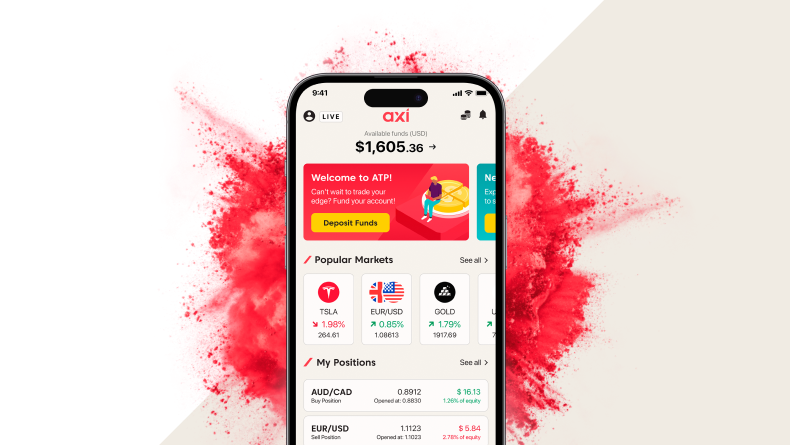
A mobile trading app is an application designed for mobile devices that allows users to trade in various financial markets. Financial institutions, such as brokers, either provide a mobile version of their own app or another commonly used trading platform, such as MetaTrader 4.
Mobile trading apps are used to:
- Open new orders, such as ‘buy limit’ or ‘sell limit’.
- Open new trades at the current market price.
- Manage existing trades, such as by adjusting the stop-loss or take-profit levels.
- Close or partially close existing trades.
- Get real-time market data.
- Access news and various research tools.
- Receive alerts and notifications, for example, about upcoming data releases or instruments hitting a certain price level.
- Some trading apps also allow users to manage their funds, i.e., to deposit and withdraw funds or move them across accounts.
How does mobile trading work?

Some apps allow you to access market data and news without having an account. However, to place live trades, you will need an account with a broker.
After creating a trading account with a broker, you can download their mobile app, which may be a common app like MetaTrader 4 or a proprietary app made by the broker.
After logging into your live account on the mobile app, you will be able to access a variety of features. Regardless of the app, they all share basic functionalities such as viewing market quotes, placing, and managing trades, and viewing charts. Some apps have advanced tools, such as live news and signals.
How to trade on mobile?

As soon as you have your broker´s mobile app installed, you are good to go! When trading on a mobile device, there are a few things to be mindful of:
- Ensure you have a stable connection. Sometimes, traders might think that their broker rejected their order or failed to execute it, but it could simply be a lost connection.
- Make yourself familiar with the app; many brokers offer a video tutorial of their mobile app, so it is worth taking the time to learn about the app´s functionalities.
- Test the app by connecting to a demo account. This will allow you to place trades and orders for testing purposes without actually risking money.
- Have a backup option available, for example, the broker´s platform installed on your laptop or PC, in case you lose access to your mobile device.
- Regularly update your app to benefit from the latest features and bug fixes.
Mobile trading vs. desktop trading
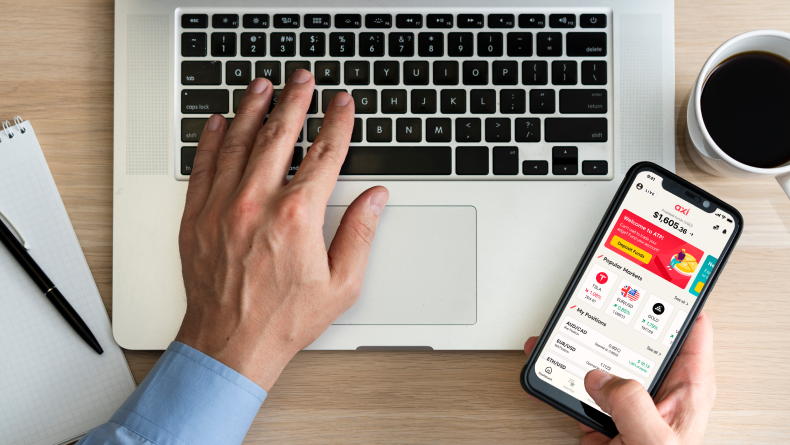
There is no simple answer to which form of trading is superior, as it depends on each trader´s preferences and circumstances. A professional trader who spends the majority of his day trading will most likely choose a setup with a personal computer and several monitors and will only use a mobile device when absolutely essential. On the other hand, a part-time trader with another full-time job will be more likely to use a mobile device.
It can also come down to your type of trading. If you are scalping or using technical analysis, for example, you will most likely prefer to have large monitors available to help with your charting or to follow key events in real time.
So, while mobile trading is becoming popular, personal computers will continue to play a significant role as large screens make it easier to multitask and to use advanced tools, not to mention speed, as computers can handle complex requests and data processing faster than mobile devices.
Advantages of mobile trading
The most obvious advantage of mobile trading is the ability to trade from anywhere using only a mobile phone and an internet connection. Traders may manage their positions and orders from any location, as well as keep up with real-time data and headlines. With better graphing capabilities and improved news feeds, mobile apps have become increasingly sophisticated over the years.
Disadvantages of mobile trading
The rise of mobile trading has undeniably democratised access to trading, making it more convenient for many individuals. However, this convenience comes with significant limitations. Mobile trading apps, constrained by their smaller screen size and reduced processing power, pose challenges for users.
Unlike professional traders, who employ multiple screens for various functions—such as monitoring price feeds, staying updated with news, and charting—mobile traders are confined to a single screen. This limitation forces users to toggle between tabs, windows, or applications, impeding multitasking efficiency.
Moreover, technical issues are more prevalent on mobile devices compared to personal computers or stable home internet connections. Loss of data connection, device damage or battery depletion, and app malfunctions are frequent concerns. These issues, while also occurring on computers, tend to be more common and disruptive in mobile trading scenarios.
How to get started with mobile trading

Find a reputable broker.
- Open a demo or live account with them, or both.
- Download their mobile trading app.
- Open the mobile trading app and log in with your account.
- Explore the app and test its functionalities (you can use a demo account for this).
- Secure your mobile device to prevent unauthorised access to your account.
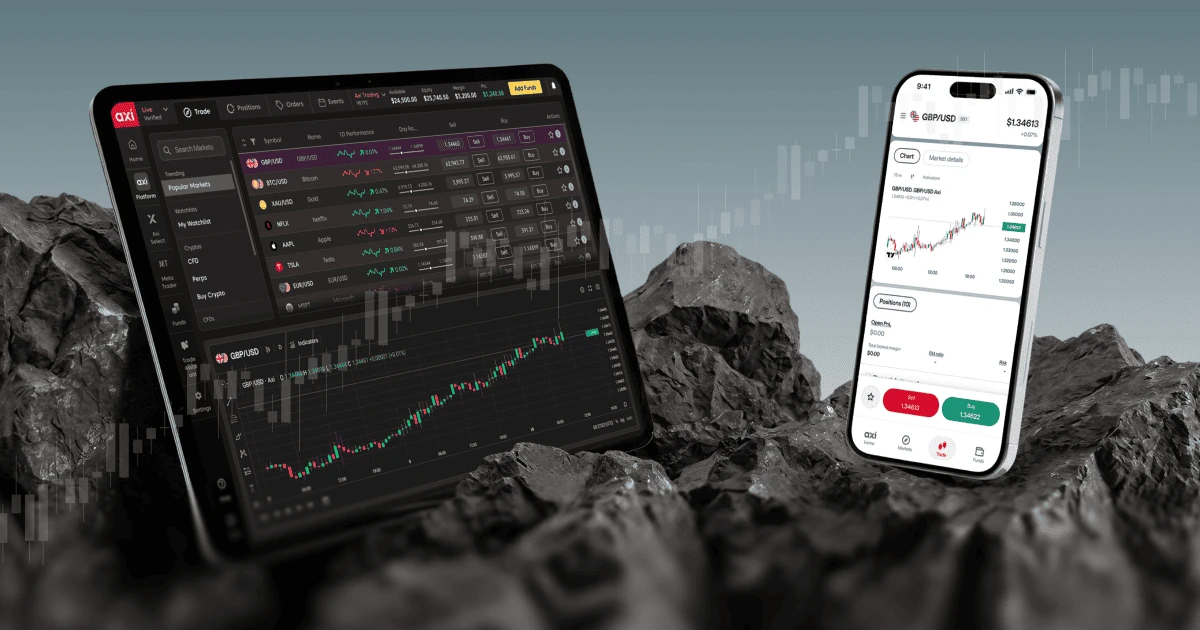
Axi clients can trade on mobile using the Axi Trading Platform, a multi-asset trading app available on iOS, Android and web browser. It provides access to major global markets across forex, stocks, ETFs and 450+ markets from a single interface.
If you are considering mobile trading, you may wish to review the features, available markets and account options of the app to see how it fits your trading style and risk preferences.
Learn more or download the app:
Axi Trading Platform · Google Play · App Store
Ready to trade your edge?
Join thousands of traders and trade CFDs on forex, shares, indices, and commodities!
This information is not to be construed as a recommendation; or an offer to buy or sell; or the solicitation of an offer to buy or sell any security, financial product, or instrument; or to participate in any trading strategy. It has been prepared without taking your objectives, financial situation, or needs into account. Any references to past performance and forecasts are not reliable indicators of future results. Axi makes no representation and assumes no liability regarding the accuracy and completeness of the content in this publication. Readers should seek their own advice.
FAQ
Mobile trading involves buying and selling financial instruments using a mobile device, such as a smartphone or tablet. Traders use mobile devices to open, modify, or close positions and orders.
Yes. Axi offers the Axi Trading Platform for iOS and Android devices. The platform can also be accessed through a web browser, with positions, watchlists and controls synchronized between the mobile and web versions.
Clients can access markets including forex, indices, commodities, shares, ETFs and cryptocurrencies, depending on product availability.
For mobile trading, brokers typically offer apps compatible with both iOS and Android devices. Opting for devices with decent processing power and larger screens can enhance the trading experience, facilitating easier navigation and multitasking within the app.
When choosing a mobile trading app, consider factors such as platform stability and security, available markets, supported order types, charting and analysis tools, ease of use and whether a demo account is available.
Mobile trading platforms can include a range of security measures, but traders should also take steps to protect their own devices and accounts.
These may include downloading apps only from official sources, using strong passwords and multi-factor authentication where available, keeping software updated, locking the device and avoiding unsecured public Wi-Fi networks when trading.
Yes. If a broker provides a demo account that is compatible with its mobile trading platform, you can use virtual funds to familiarise yourself with the platform and practise opening and managing trades before using real money.
Axi offers a demo account that can be used to explore its trading platforms in a simulated trading environment.
It depends on the app and broker. Some mobile trading platforms provide access to several asset classes through a single interface, while others focus on specific markets.
First, check that your internet connection is stable, the app is up to date and your device is functioning correctly. You can also close and reopen the application or restart the device.
If the problem continues and appears to relate to the platform or your account, contact the broker's support team and provide as much information as possible about the issue.

Milan Cutkovic
Milan Cutkovic is an experienced trader and market analyst specializing in forex, indices, commodities, and stocks. He was one of the first traders accepted into the Axi Select program, which identifies talented traders and supports their professional development.
He is passionate about helping others improve their trading skills through educational articles, eBooks, and content published on the Axi blog. His work is regularly featured and quoted in major international media outlets, including Yahoo Finance, Business Insider, Barron's, CNN, Reuters, New York Post, and MarketWatch.